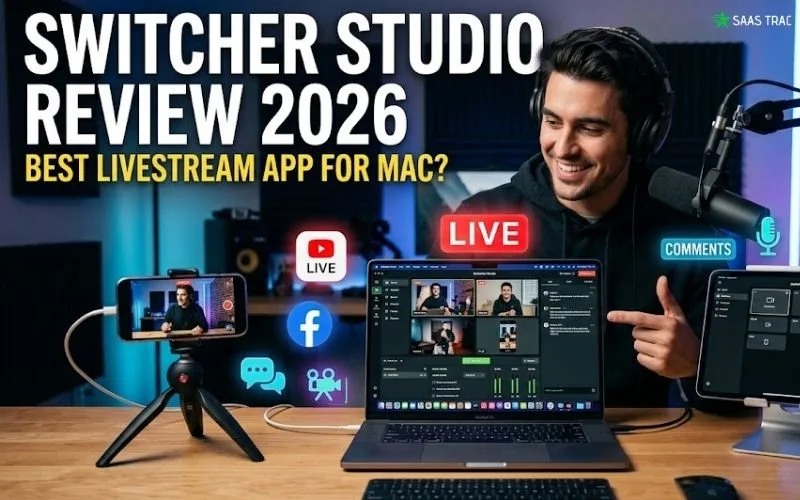
Live video is one of the highest-ROI content formats in 2026, but building a broadcast-quality production setup the old way costs thousands of dollars in cameras, switchers, capture cards, and editing rigs. For most creators, churches, educators, small businesses, and even mid-sized marketing teams, that price tag is simply out of reach. So they end up streaming with one shaky webcam, terrible audio, and zero overlays, which is exactly what kills engagement and credibility. That’s exactly the gap Switcher Studio is built to close. It’s a powerful live video production platform that transforms iPhones, iPads, and Macs into a fully-featured multi-camera production studio.
You can switch between up to 9 cameras live, add overlays and graphics, stream to multiple platforms simultaneously, and produce broadcast-quality video using gear most teams already own.
In this detailed write-up, I’ll walk you through what the platform actually does, how its features perform in real-world use, what it costs, and whether it’s worth your budget in 2026. By the end, you’ll know whether Switcher Studio fits your live video goals, or whether another tool might suit you better.
👉 Try Switcher Studio For Free Here
What Is Switcher Studio?
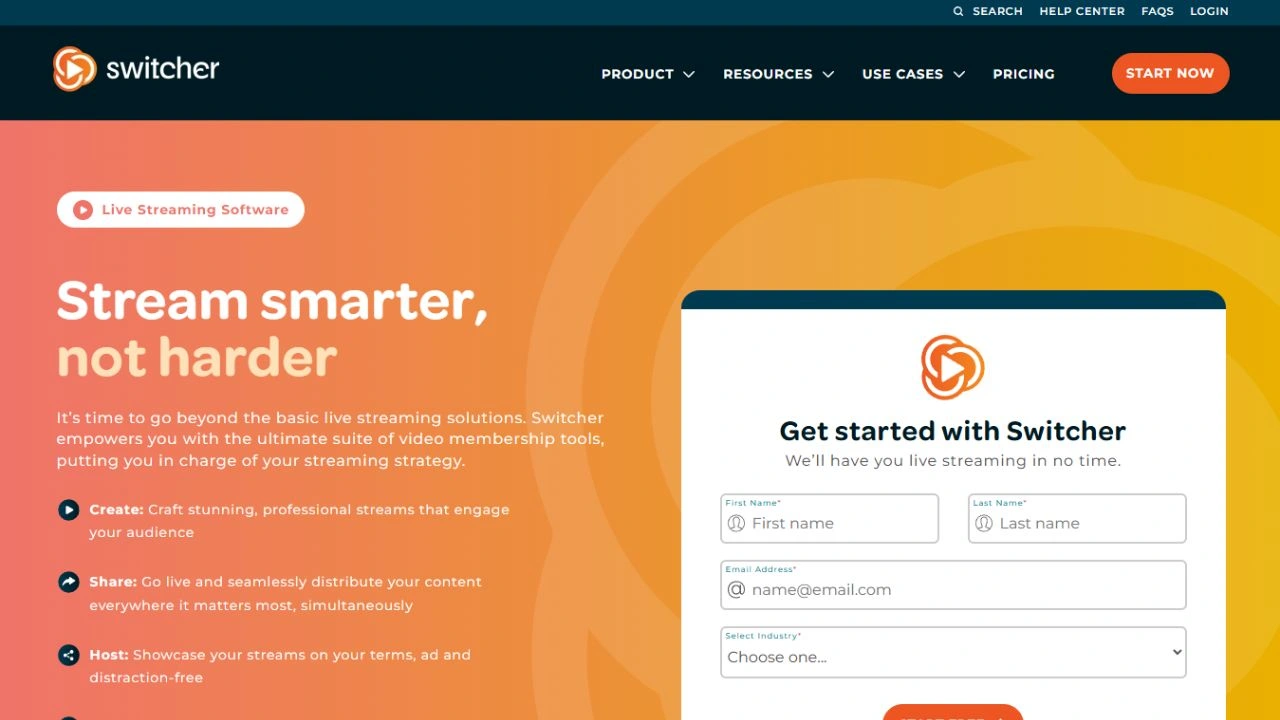
Switcher Studio is a multi-camera live video production platform that turns iPhones, iPads, and Macs into a portable, professional-grade broadcast studio. Instead of hauling around bulky cameras, switchers, and laptops, you orchestrate everything wirelessly from your Apple devices, switching feeds, adding graphics, and streaming to social platforms in real time.
Founded in 2014 in Louisville, Kentucky, the platform has grown into one of the most loved tools in the Apple-centric video production world. With apps for iPhone, iPad, and Mac, it powers worship services, sports broadcasts, marketing webinars, educational content, fitness studios, and creator livestreams across the globe. Earning a 4.7/5 rating from thousands of verified users, it’s widely regarded as the gold-standard SwitcherStudio app for Mac and iOS users.
Best of all, you don’t need any technical expertise. If you can use an iPhone, you can build a multi-camera production in under 30 minutes, no expensive hardware, no editing suite required.
Key Features:
Here’s a breakdown of what you get when you sign up for the platform.
1. Multi-Camera Live Switching:
The flagship feature. Connect up to 9 iPhones, iPads, and Macs wirelessly and switch between camera angles live in real time. The platform syncs all feeds over Wi-Fi, lets you preview each angle before going live, and gives you broadcast-quality multi-camera production using gear most teams already own.
2. Multistreaming to Major Platforms:
Stream to Facebook, YouTube, LinkedIn, Twitch, Microsoft Stream, your own website, and any RTMP-compatible destination at the same time. The Suite plan supports up to 20 simultaneous platforms, perfect for maximizing reach across every channel your audience lives on.
3. Custom Graphics & Overlays:
Add brand-aligned overlays, lower thirds, logos, picture-in-picture layouts, animated title cards, and scoreboards in a few taps. Pre-built templates and a drag-and-drop layout designer mean even non-designers can create polished broadcasts that look professional from the very first stream.
4. Remote Guest Streaming:
Invite up to 5 remote guests, co-hosts, customers, or interview subjects to join your stream from anywhere via a simple link. No software install required for guests. Perfect for podcasts, panel discussions, virtual events, sermons, sports commentary, and remote interview workflows.
5. Switcher Studio for Mac App:
The dedicated Switcher Studio for Mac app brings the same multi-camera production power to your desktop. You can use your Mac as a master controller, share your Mac screen during streams, and even use it as a virtual camera in Zoom or Google Meet for crystal-clear video calls.
6. Stream Commerce & Monetization:
Sell products, collect donations, charge for memberships, and pin shoppable links directly inside your stream. Native Shopify compatibility makes it ideal for live shopping events, eCommerce-driven creators, and stream-driven sales funnels for product launches and flash sales.
7. Pre-Recorded Video Integration:
Drop pre-recorded video clips, interviews, b-roll, sponsor segments, or replays directly into your live broadcast. Perfect for hybrid live/recorded shows, sports replays, training content, and worship services blending live preaching with pre-produced video content.
8. Cloud Saves & Auto-Recording:
Every stream is automatically recorded to the cloud for later editing, repurposing, or replay. Cloud project saves protect your work from local device failures, and integrated clip repurposing tools help you turn long-form streams into short-form social content quickly.
Switcher Studio Pricing: How Much Does It Cost?
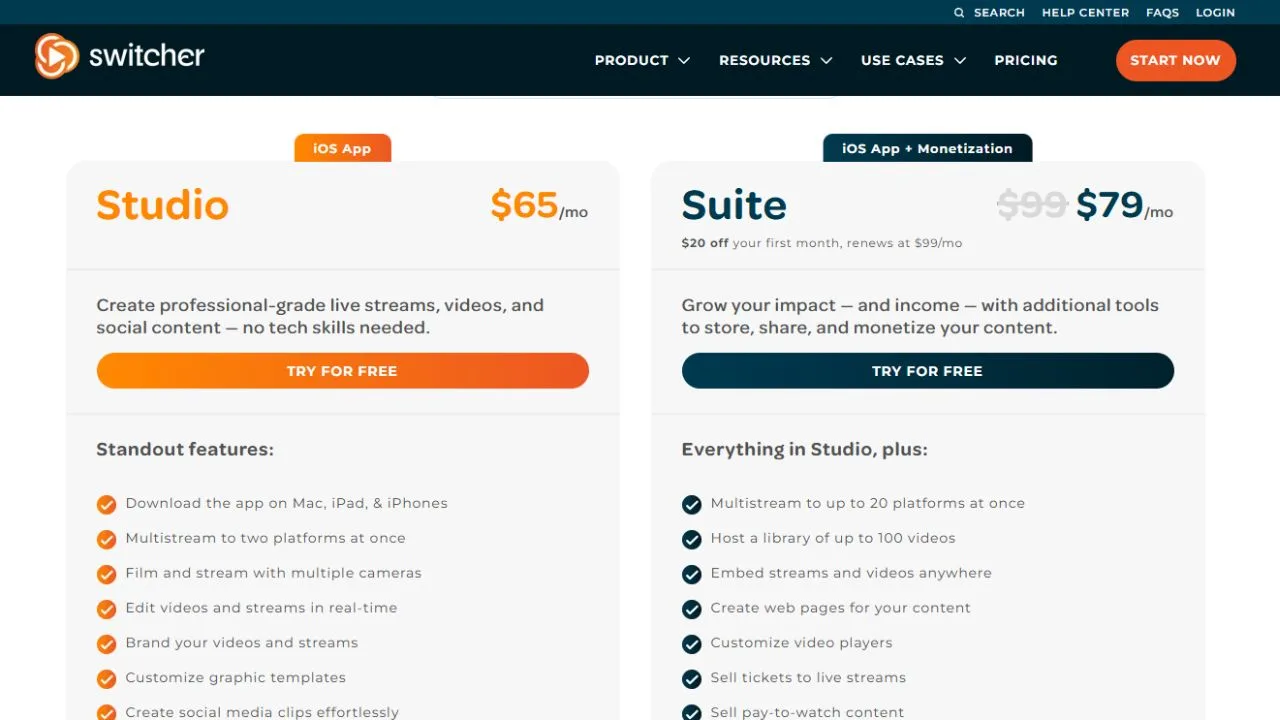
The pricing structure is built around your streaming needs. Here’s a quick snapshot:
- Studio Seasonal – $55/month (3 months for $165), Unlimited livestreaming, multistream to 2 platforms, multi-camera production, and overlays. Ideal for short-term or seasonal use cases like sports leagues or event series.
- Studio (Monthly/Annual), Full feature set: unlimited streaming, multistream to 2 platforms, cloud saves, remote guests, custom graphics. Best for individual creators and small businesses.
- Suite (Monthly/Annual), Everything in Studio plus multistream to up to 20 platforms, advanced growth and monetization tools, role-based team permissions, and shared asset libraries. Built for agencies and growing video brands.
A 14-day free trial is available on Mac and iOS with the ability to cancel anytime. Annual billing offers up to 30% in savings. Compared to alternatives like Ecamm Live, Restream Studio, and OBS (free but complex), it sits firmly in the value sweet spot, especially for Apple-first teams.
👉 Check Live Switcher Studio Plans & Current Deals
Pros of Using the Platform:
Here’s what genuinely makes Switcher Studio stand out in the crowded live streaming space.
- No expensive gear required. Turn iPhones, iPads, and Macs into a full broadcast studio.
- Up to 9 camera angles, live multi-cam production, rivaling traditional broadcast setups.
- Mac-compatible livestreaming software, a native Mac app, makes desktop control seamless and powerful.
- Multistream to 20+ platforms, Maximum reach across Facebook, YouTube, LinkedIn, Twitch, and more.
- Wireless setup, not tangled cables. Cameras connect over Wi-Fi for clean, mobile production.
- Remote guest support: Invite up to 5 guests without requiring them to install software.
- Strong eCommerce features include Shopify compatibility, pinned product links, and live shopping built in.
- Excellent for worship and education, trusted by thousands of churches, schools, and fitness brands.
- Cloud auto-recording: Every stream is saved automatically for later editing and repurposing.
- Easy onboarding. If you can use an iPhone, you can build a multi-camera production fast.
Cons to Keep in Mind:
No platform is perfect. Here are a few honest downsides to know before you commit to Switcher Studio.
- Apple-only ecosystem, no Windows or Android support. Strictly iPhones, iPads, and Macs.
- Requires reliable Wi-Fi; wireless camera syncing depends on strong network performance.
- Learning curve on scene building, advanced overlays, and templates takes a few hours to master.
- Multi-platform streaming on lower tiers, Studio limits you to 2 platforms unless you upgrade to Suite.
- No native virtual camera output yet. Some users want a built-in Zoom virtual camera feature on Mac.
- Pricing isn’t the cheapest. Free alternatives like OBS exist if you have technical experience.
- Limited post-production editing in, Cloud editor handles basics, but pros may still need Final Cut or Premiere.
What Makes It Stand Out From the Crowd?
The livestreaming software space is crowded, but a few things genuinely set the platform apart in 2026.
First, the Apple-native experience is unmatched. While competitors like Ecamm and Restream Studio support Macs, none of them lean into the iOS ecosystem the way Switcher Studio does. Using iPhones and iPads as your actual cameras, wirelessly synced and switchable, is a workflow no other tool nails as cleanly. For creators already living in the Apple ecosystem, the productivity unlock is huge.
Second, the all-in-one production toolkit is genuinely rare. Most competing tools either focus on multistreaming (Restream) or on production overlays (Ecamm), but rarely both. Switcher Studio combines wireless multi-cam switching, overlays, remote guests, multistreaming, monetization, and cloud recording into a single coherent app,p eliminating the budget bloat of stitching together three or four separate tools every month.
Third, the focus on real-world use cases gives Switcher Studio serious staying power. Worship services, fitness studios, sports broadcasts, schools, and live shopping events all have specific production needs that the platform addresses out of the box. Features like donation collection, Shopify integration, and dedicated scoreboards aren’t bolted on; they were designed with these exact audiences in mind from day one.
Who Should Use It?
Switcher Studio is a strong fit for:
- Churches and worship teams are broadcasting weekly services with multiple camera angles and overlays.
- Content creators and influencers are producing multi-cam shows, podcasts, and live shopping streams.
- Educators and trainers are running engaging multi-camera lessons, workshops, and online courses.
- Sports teams and leagues are broadcasting games with multi-angle coverage and live scoreboards.
- Marketing teams are running webinars, product launches, and brand events at broadcast quality.
- Fitness studios stream live workout classes with multiple camera angles and trainer overlays.
- eCommerce brands running live shopping events with pinned product links and Shopify integration.
If you only stream occasionally with one webcam from your laptop, simpler tools may suit you better. But if multi-camera production matters, this is a clear winner.
How to Get Started?
Getting up and running takes about 30 minutes from signup to your first live broadcast.
- Start your 14-day free trial using this link.
- Install the apps on your iPhone, iPad, and Mac from the App Store.
- Pair your devices over the same Wi-Fi network; the connection is automatic.
- Build your scene, drag cameras, overlays, and graphics into the layout.
- Connect streaming destinations Facebook, YouTube, LinkedIn, Twitch, or any RTMP endpoint.
- Go live with one tap and switch between cameras in real time.
- Repurpose recordings with the cloud editor after your stream ends.
Our Final Verdict:
After extensive testing and reviewing thousands of verified user reviews on G2, Capterra, and Software Advice, Switcher Studio lands firmly on the positive side. It’s one of the most capable and most polished multi-camera livestreaming platforms you can buy in 2026, especially for Apple-first teams. The combination of wireless multi-cam switching, multistreaming, overlays, remote guests, and Shopify compatibility makes it genuinely hard to beat for serious creators, churches, educators, and brands.
Yes, it’s Apple-only, and the price tag is higher than free alternatives like OBS. But for the value delivered, broadcast-quality video from gear you already own, faster setup, and reliable streaming, those friction points are minor compared to the operational lift for any team treating live video as a core growth channel rather than a side experiment.
If you’re still unsure about which plan suits your needs, start with the 14-day free trial. You’ll see the value within your first broadcast.
👉 Start Your Free Switcher Studio Trial Today
Conclusion:
Live video isn’t slowing down in 2026, and the right production tool can transform engagement, reach, and revenue dramatically. If you want broadcast-quality multi-camera streaming, multistreaming to every major platform, embedded eCommerce, and remote guest support in one Apple-native app, Switcher Studio is one of the smartest investments creators, churches, and brands can make this year. The wireless multi-cam switching, overlays, cloud saves, and Mac support together make it a near-complete package for any team serious about live video. Click below to start your free trial and see the quality firsthand.
FAQs:
Q1. Is Switcher Studio free?
Ans: A 14-day free trial is available on Mac and iOS with the ability to cancel anytime.
Q2. Which devices does it support?
Ans: iPhone, iPad, and Mac. No Windows or Android support.
Q3. How many cameras can I use?
Ans: Up to 9 wirelessly synced iPhones, iPads, or Macs in one production.
Q4. Can I stream to multiple platforms?
Ans: Yes. Up to 20 simultaneous destinations on the Suite plan.
Q5. Does it support remote guests?
Ans: Yes. Up to 5 remote guests join via a simple link with no installs.