
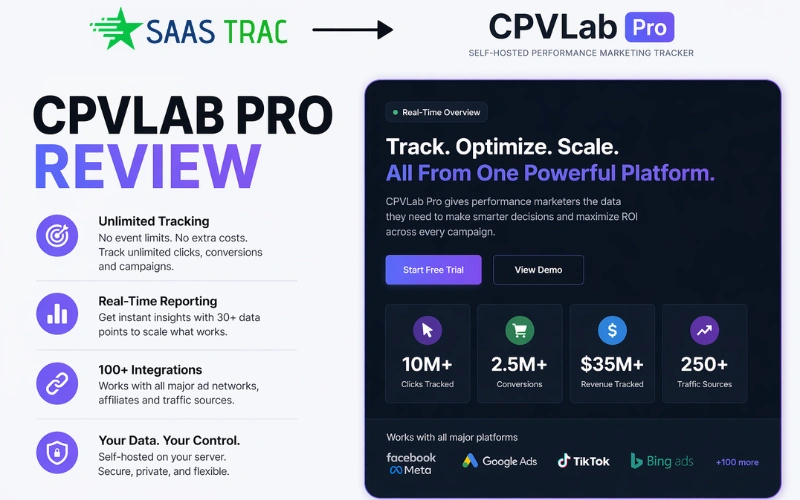
If you have ever watched a winning campaign bleed money because your tracker hit its event limit, you already know why CPVLab exists. It is a self-hosted performance marketing tracker built for marketers who want real data, full control, and no surprise bills at the end of the month.
Most cloud-based trackers feel affordable on day one. Then you scale. Traffic doubles, your plan limit arrives, and suddenly the tool that was supposed to help you profit is the one eating into your margins. That is the gap CPVLab Pro was designed to close.
This review covers everything you need to decide whether it belongs in your stack. Features, pricing, campaign types, honest limitations, and how it compares to the main alternatives.
1. What Is CPVLab Pro?
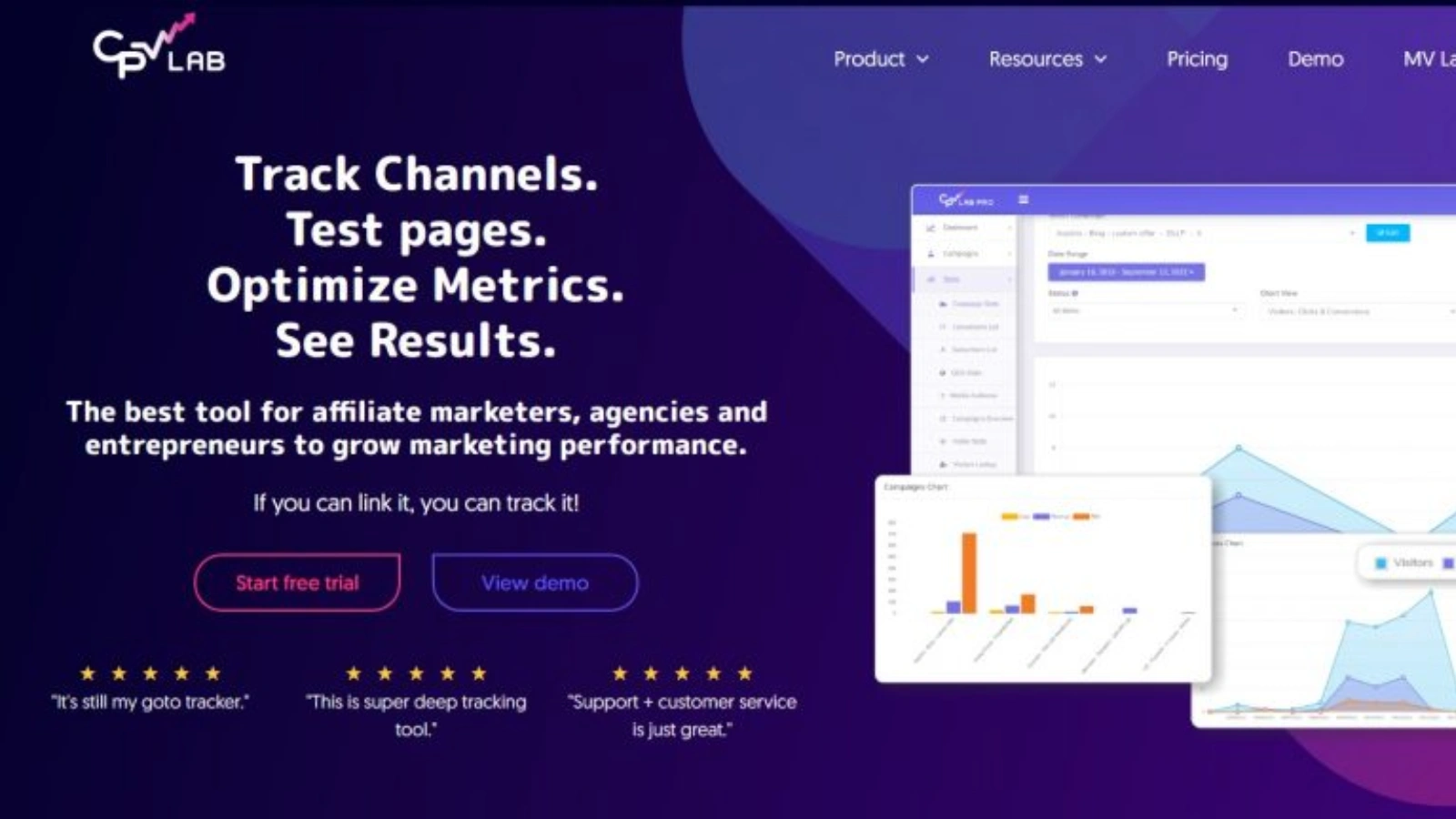
CPVLab Pro is a self-hosted ad tracking platform built for performance marketers who need granular, reliable data across every campaign they run.
The platform has roots going back to around 2010 or 2011 under the original CPVLab brand. In 2018, a new development team took it over, rebuilt it substantially, and relaunched it as CPVLab Pro. Since then it has grown a global user base across both its self-hosted and cloud offerings, tracking millions of campaigns across nearly every vertical.
The name CPV originally stood for Cost Per View, reflecting the platform’s early focus on pop and CPV traffic. That is largely historical now. The tracker handles PPC, native, push, pop, email, display, social, and organic traffic. If you can place a link, you can track it.
The platform comes in two versions.
CPVLab Pro is the self-hosted version. You install it on your own VPS or dedicated server, and everything runs on your infrastructure. You control the data, the uptime, and the costs.
CPV One is the cloud-hosted version, powered by AWS. No server management is needed, and plans are subscription-based. This review focuses primarily on CPVLab Pro, though the features across both versions are nearly identical.
2. How It Works
The concept is straightforward. CPVLab sits between your traffic source and your offer or landing page. Every click enters through a tracking link, gets logged with all available metadata, and is then forwarded to the destination you have configured.
When a visitor converts, the affiliate network sends a postback signal back to CPVLab Pro. That signal gets matched to the exact click, campaign, landing page, and offer that produced the result. That is how you stop guessing and start knowing.
Here is the basic flow: a user clicks your ad, hits the tracking link, lands on your page, takes action on the offer, and the network fires a conversion postback back to the tracker. Everything is logged and connected.
What makes this powerful is what happens inside that flow. Over 30 data points get attached to every single click. Device, browser, GEO, ISP, carrier, keyword, placement, ad creative, time of day. All of it is tied back to whether a conversion happened and what it was worth.
CPVLab Pro supports four core tracking methods:
Redirect tracking is the classic approach. The visitor passes through the tracking domain before reaching the landing page. It is fast and reliable for most networks that allow redirects.
No-redirect tracking uses a JavaScript pixel on the landing page instead of a URL redirect. This is required for Google Ads and Facebook Ads, both of which prohibit redirect-based tracking in ad URLs. The visitor goes directly from ad to page, and the pixel fires silently in the background.
Server-side tracking passes conversion data directly between servers via postback URLs, with no browser involvement. This method is not affected by iOS privacy restrictions, browser-level blocking, or third-party cookie deprecation.
First-party cookie tracking stores session data using your own domain as the cookie origin. Because the cookie is first-party rather than third-party, it is far less likely to be blocked by modern browsers.
3. Core Features Breakdown
Unlimited Everything
This is the feature that separates CPVLab from most competitors in practical terms. There are no event caps, no campaign limits, and no extra charges when your traffic scales.
Cloud trackers tie your event allowance to your pricing tier. Scale past the limit and you either pay more or get throttled. CPVLab Pro does not work that way. One license covers unlimited campaigns, clicks, events, landing pages, and offers. The only ceiling is your server, which you control and can upgrade independently.
For a media buyer moving from $200 a day to $2,000 a day, flat tracking costs matter enormously.
Real-Time Reporting
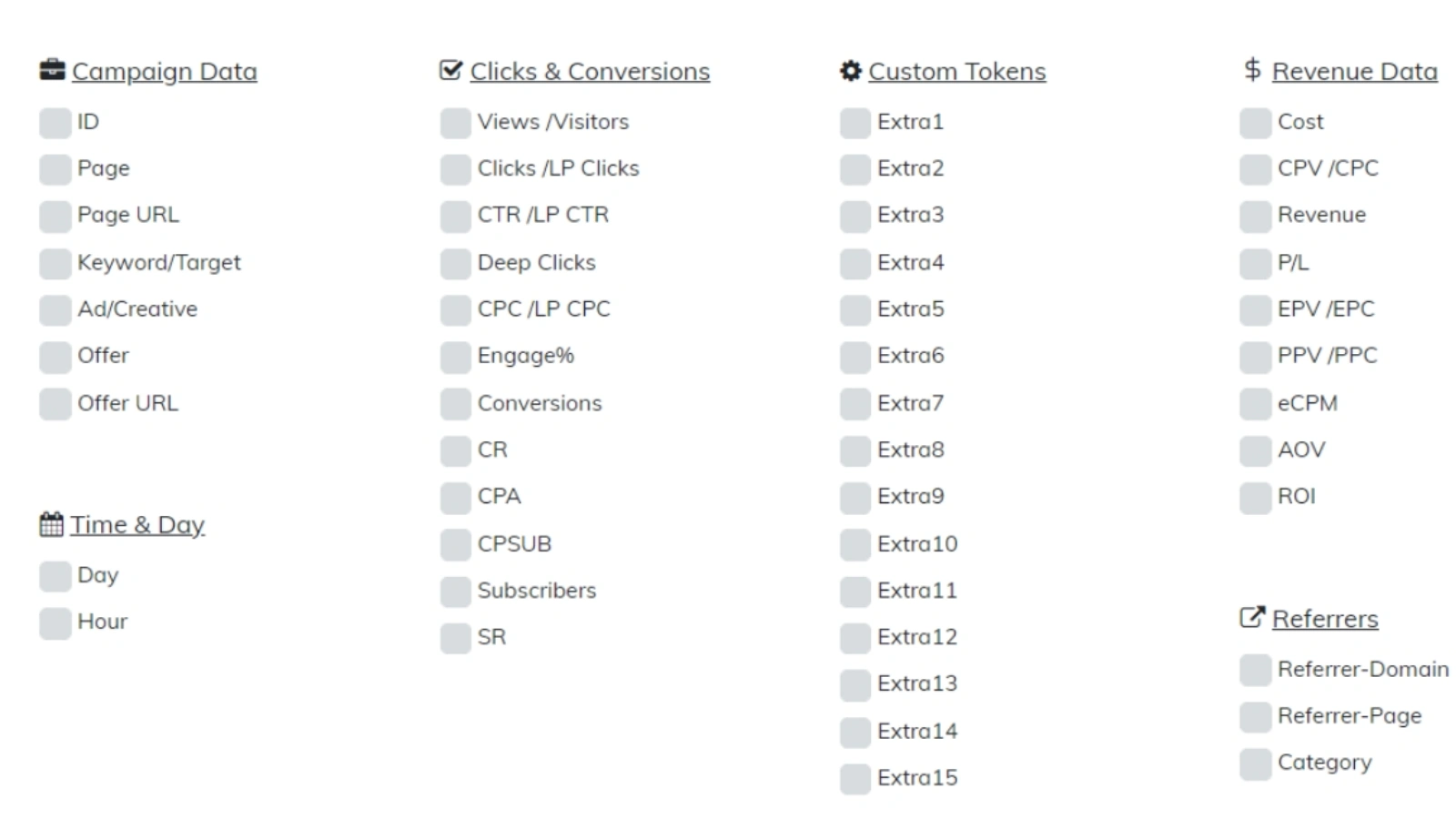
Every click gets tagged with over 30 data points. Traffic source, campaign, ad set, creative, keyword, placement, widget, zone, device type, operating system, browser version, country, region, city, ISP, carrier, connection type, time of day, day of week, conversion type, revenue, cost, ROI, and profit or loss.
The practical value is the ability to make surgical cuts. You are not just seeing which campaign made money. You can see that a specific carrier on a specific device type in a specific region drove 60 percent of your conversions while using only 20 percent of your budget. That level of clarity changes how you allocate spend.
Conversion API Integrations
Modern media buying requires passing conversion signals back to advertising platforms so their algorithms can optimize toward the right audiences. CPVLab Pro supports this for Facebook and Meta CAPI, TikTok Events API, Google Ads Enhanced Conversions, Microsoft Bing Ads, and CJ Affiliate.
When a conversion fires, the tracker relays that signal upstream automatically. This is essential for maintaining campaign performance in a post-iOS environment where browser-based signals are increasingly unreliable.
MV Lab: Multivariate Testing
Standard A/B testing compares two pages against each other. MV Lab goes further by letting you test multiple variations of individual page elements simultaneously, without creating full duplicate pages for each variant.
The critical capability here is the connection between ad variation and landing page element variation. You can see which specific combination of ad creative and page element drives the highest conversion rate. For a buyer running many landing page variants at once, this collapses the time needed to identify a winner from weeks to days.
AI Copilot
Based on user reports, CPVLab Pro has introduced an AI Copilot feature that allows querying campaign data in plain language. Instead of building report filters manually, you ask questions and get answers drawn from your live data. The feature is still developing and detailed official documentation is limited, but early adopters report it reduces time spent inside the reporting interface.
Alerts and Optimization Profiles
You set your performance thresholds once. Conversion rate floors, ROI minimums, cost-per-lead ceilings. Attach those thresholds to a campaign, and CPVLab Pro evaluates every target, landing page, and offer automatically.
The output is a color-coded Optimization Report. Green marks winners to scale. Yellow flags items to monitor. Red signals what to pause or cut. This removes a significant amount of daily manual auditing from your workflow.
Bot Detection
Bot traffic varies widely by traffic type and vertical. Push and pop traffic sources can see particularly high bot rates, while branded search traffic tends to see far lower rates. Regardless of source, the risk is real enough that filtering matters. CPVLab Pro detects suspicious traffic patterns and gives you the choice to flag it in reports, block it entirely, or route it to a separate destination.
Landing Page Protection
Competitors and spy tools regularly attempt to copy winning landing pages. CPVLab Pro includes protection scripts that block common spy tool crawlers, obscure page source code, and mask referrer data. Your best-performing pages stay private.
Link Cloaking and Dynamic Keyword Insertion
Long affiliate URLs get replaced with clean, branded links from your own domain. Dynamic keyword insertion pulls the traffic source token or search keyword directly into your landing page headline, creating personalized copy at scale without any manual effort per visitor.
Pre-Built Templates
The platform ships with over 150 pre-filled templates for traffic sources and affiliate networks, all pre-configured with the right tokens and postback parameters. Setting up a new integration typically takes a few minutes rather than hours of manual configuration.
4. Six Campaign Types Explained
Most trackers treat all campaigns as variations of the same basic structure. CPVLab Pro takes a different approach by offering six distinct campaign types, each built around a specific funnel architecture.
Choosing the right type for your funnel is not just a configuration detail. It determines the accuracy and depth of your reporting.
Type 1: Direct Link and Landing Page
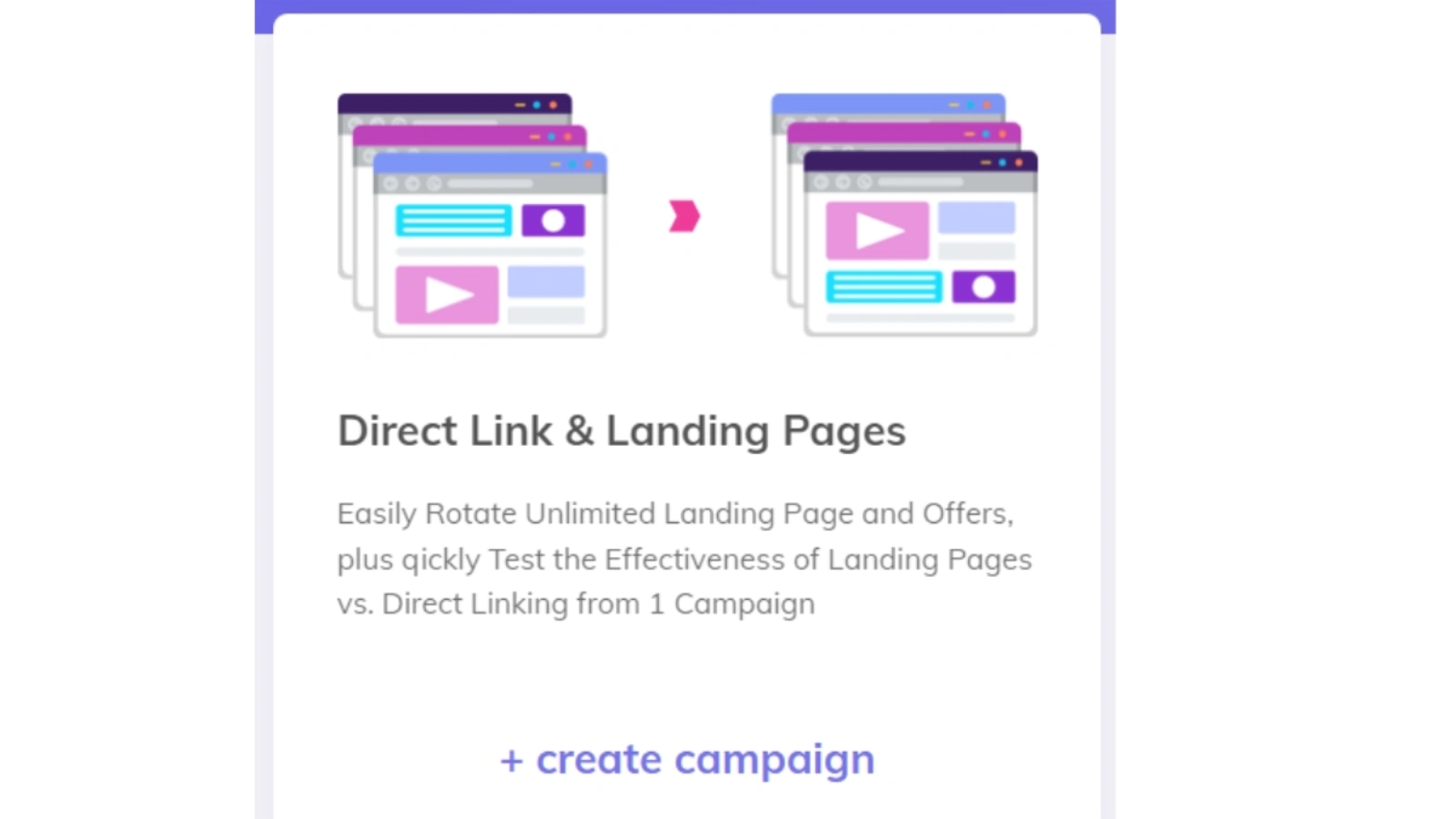
This is the most common setup. Traffic goes either directly to an offer or through a landing page first. You can rotate multiple landing pages, test direct linking versus a landing page, and see which combination of page and offer performs best. Use this for standard CPA campaigns, product sales, and any straightforward single-funnel scenario.
Type 2: Landing Page Sequence
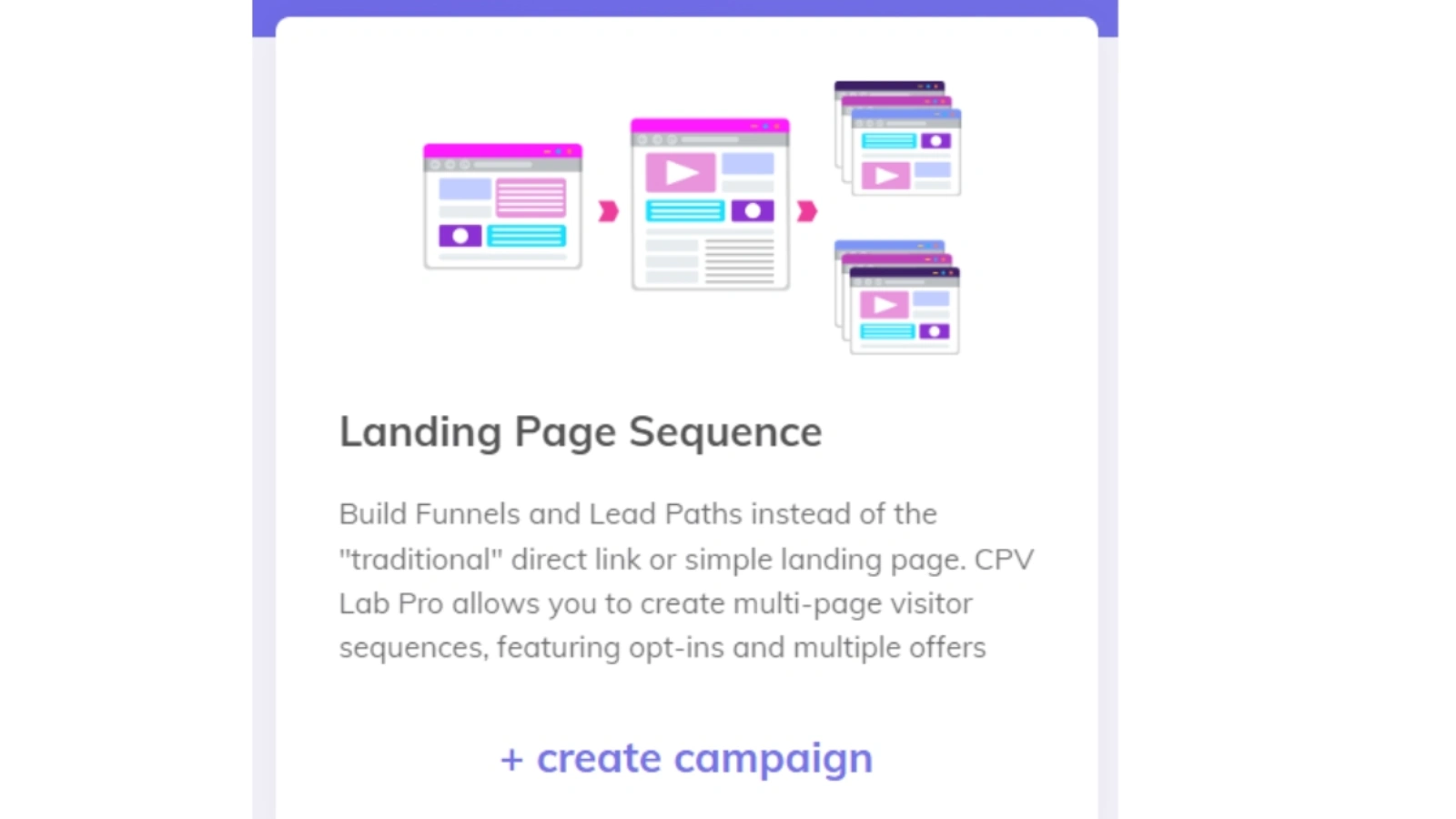
Built for funnels where users move through multiple steps. Think an opt-in page, followed by a bridge page, followed by an offer. Each step is tracked independently so you can see exactly where users drop off and at what rate they move through each stage. Use this for advertorials, supplement funnels, and financial offer pre-sell sequences.
Type 3: Lead Capture
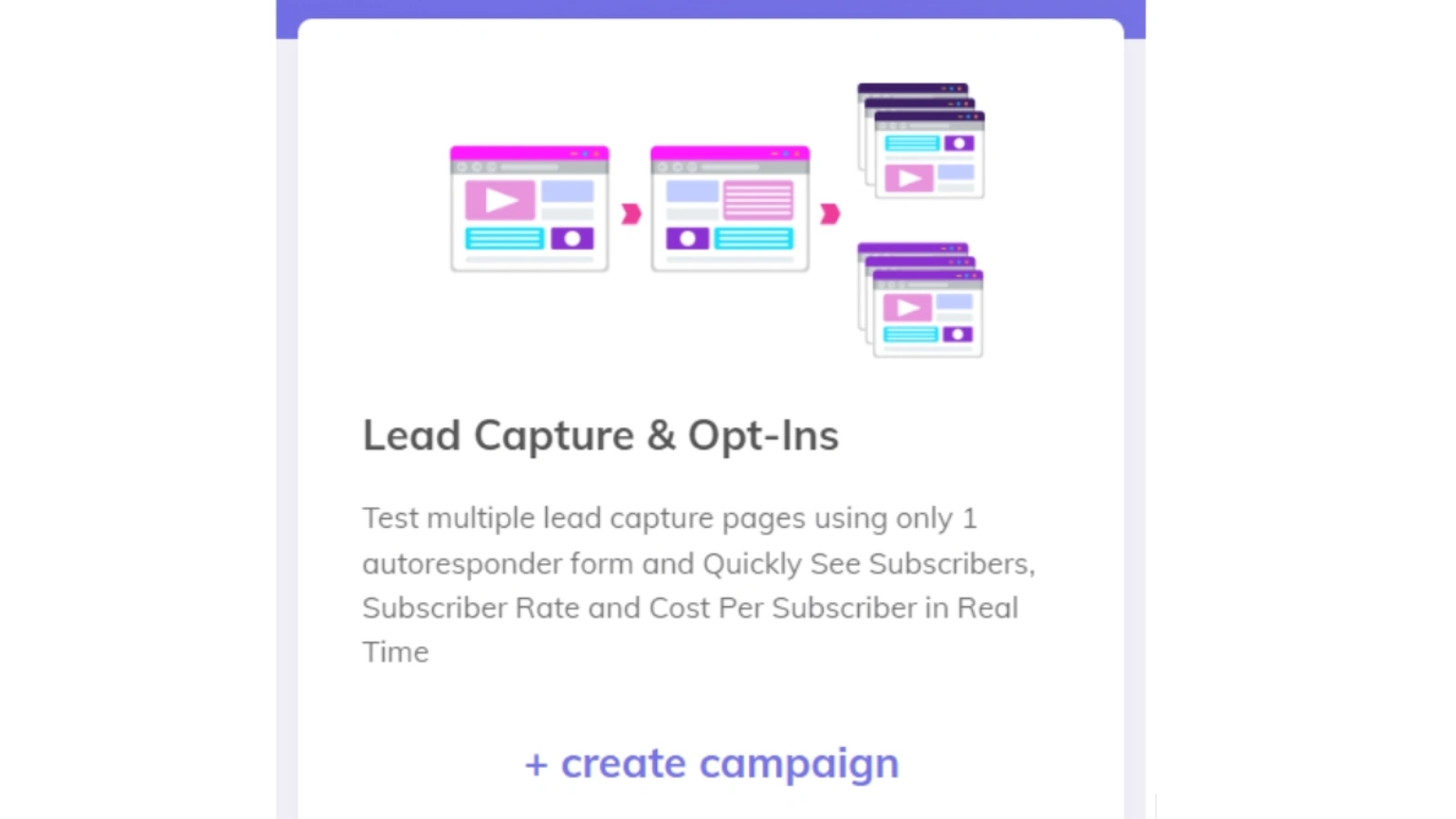
Specifically designed for opt-in tracking. It records subscriber counts, opt-in rates, cost per lead, and downstream revenue attributed back to the original traffic source. It works with any autoresponder form. Use this when your goal is building an email list, generating leads for sale, or running CPL campaigns.
Type 4: Multiple Option
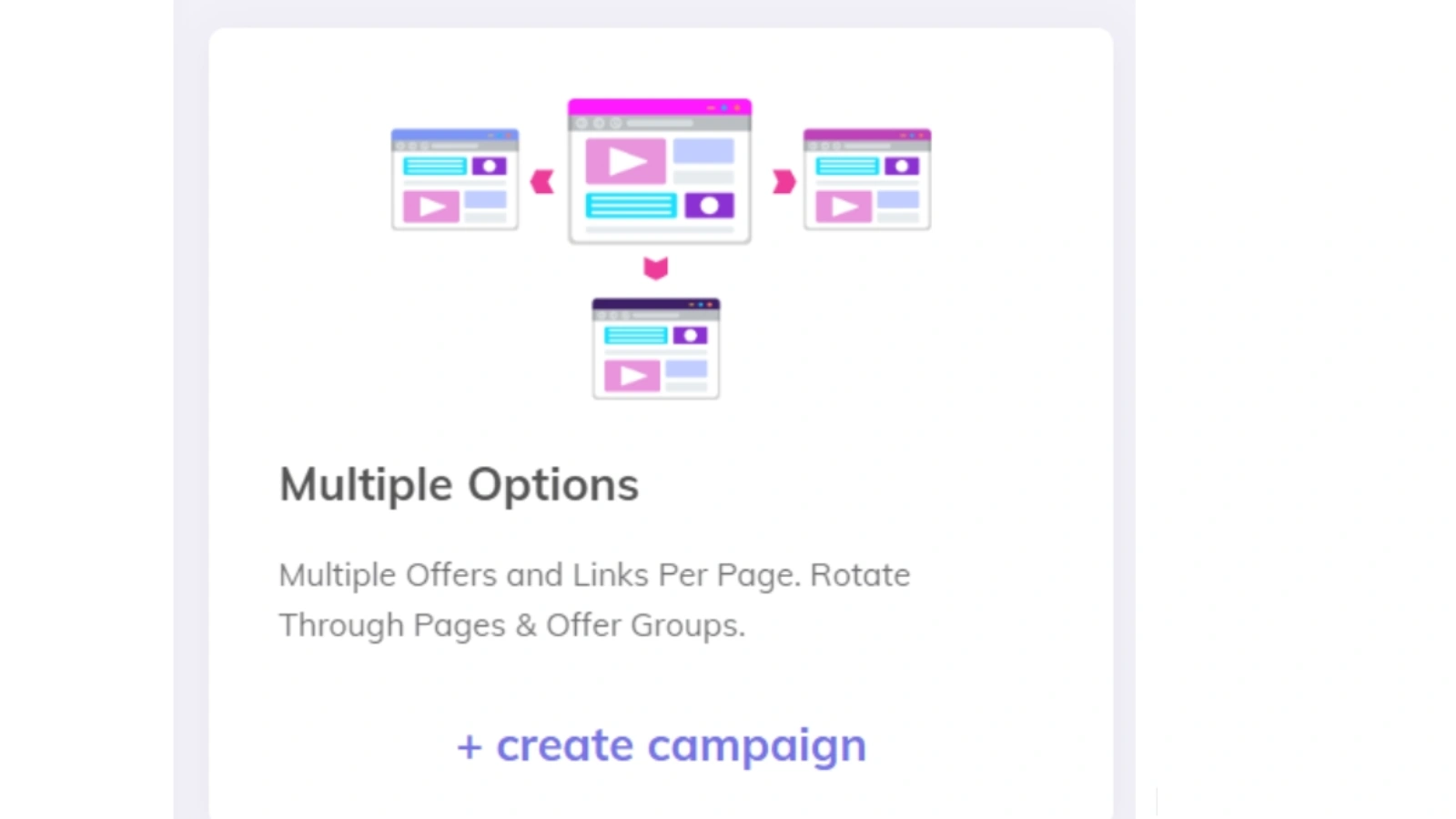
One landing page, multiple offer buttons or links, each tracked individually. You can see which offer on a review or comparison page gets clicked most frequently and which one actually converts after the click. Use this for review pages, product comparison pages, and upsell or downsell sequences.
Type 5: Multi-Path

Splits incoming traffic across entirely different funnel paths. Each path can have its own landing pages, offers, and logic. You can rotate paths randomly, assign them to specific audience segments, or route based on device type or GEO. Use this when testing completely different offers or campaign angles simultaneously.
Type 6: Email Follow-Up

Email platforms track opens and clicks but rarely show what happens after the click. This campaign type tracks link clicks from your emails, records subsequent page visits and conversions, and attributes all resulting revenue back to the original opt-in source. Use this when monetizing an email list and you want to know which subscribers, from which original traffic source, are generating actual backend revenue.
5. Who Is It For?
CPVLab works well for a specific set of marketers. Being clear about that fit matters more than claiming it works for everyone.
Affiliate marketers running paid traffic to CPA, CPS, or CPL offers across multiple networks will find it well suited to their workflow. The postback tracking, split testing depth, and multi-campaign reporting give them the data needed to optimize without depending on platform-reported attribution.
Media buyers purchasing traffic at volume on native, push, pop, or social networks benefit from placement-level reporting, bot filtering, and CAPI integrations. When you are spending at scale, knowing exactly which widget or zone is profitable is not optional.
Digital agencies managing campaigns for multiple clients will appreciate multi-user access, campaign grouping, and the ability to keep client data cleanly separated within a single installation. The Expert plan and enterprise options add white-label capabilities for larger setups.
E-commerce entrepreneurs running paid ads for their own products will find it particularly valuable if they have watched Facebook attribution accuracy decline since iOS 14. Server-side tracking and CAPI restore the conversion visibility that browser-based tracking has lost.
Who should look elsewhere? If you have no familiarity with server environments and setting up a VPS feels like a genuine barrier, start with CPV One instead. All the same features, none of the installation. BeMob is also worth considering if you are early in your affiliate journey and want something more accessible before investing in deeper infrastructure.
6. Pricing and Plans
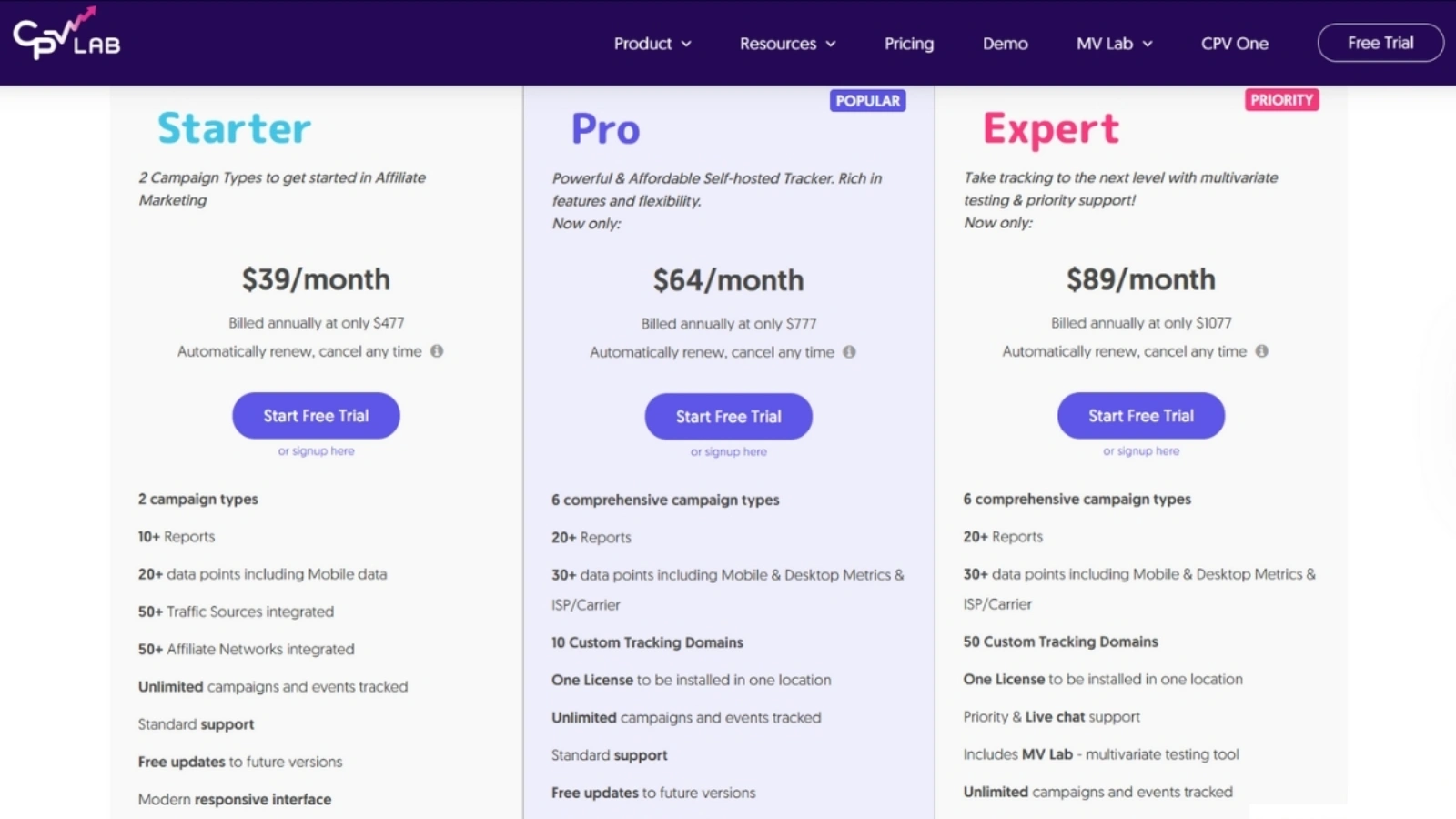
CPVLab Pro offers a 14-day free trial with no credit card required, plus a 30-day money-back guarantee across all plans. Plans are available monthly, annually at a discount, or as a one-time lifetime purchase.
Starter Plan is the entry-level option. It includes two campaign types, unlimited clicks and events, basic reporting, and a custom tracking domain. Most serious marketers will outgrow the campaign type limitation relatively quickly, but it is a solid starting point for learning the platform.
Pro Plan is the most popular tier. It unlocks all six campaign types, full API integrations including CAPI, MV Lab access, optimization and alert profiles, bot detection, and multiple custom tracking domains. For the large majority of affiliate and paid media use cases, this covers everything you need.
Expert Plan is designed for advanced marketers and teams. It adds full multivariate testing capabilities, priority support, custom network integrations, advanced API access, and multi-user access. Agencies managing multiple client campaigns and marketers running complex multi-path setups at scale will find the additional capabilities worth the step up.
The Lifetime License deserves its own mention. It is a one-time payment that covers all updates within the current major version and includes two years of support. After that period the software keeps working. You just will not receive priority support or major version updates without renewal. For anyone planning to use the platform for two years or more, the lifetime option almost always wins on total cost.
Always check the official CPVLab Pro pricing page for current figures, since rates and promotional pricing are updated regularly. Promo codes are also periodically available through affiliate marketing communities and partner sites.
7. Total Cost of Ownership
This is the part most tracker reviews skip, and it is the one that matters most when making a real budget decision.
Cloud trackers feel manageable at the entry level. But monthly fees compound quickly. To give a concrete example: a cloud tracker priced at around $149 per month costs roughly $1,788 in year one and over $5,000 across three years. That is before any plan upgrades when you scale past event limits. Always verify current pricing directly on each platform’s website, since these figures change.
CPVLab Pro’s self-hosted version requires a VPS. For a small to medium traffic operation, a basic VPS runs between $10 and $20 per month. However, serious media buyers running heavy traffic volumes may need a more powerful server in the $40 to $80 per month range or higher. Factor that into your calculation based on your actual traffic levels.
Add the annual or lifetime license fee to your VPS costs, and the total across three years is still typically far lower than a comparable cloud tracker subscription. The lifetime license in particular has a breakeven point that arrives within a few months of normal usage compared to cloud alternatives.
Binom, the other major self-hosted option, charges a monthly license fee on top of VPS hosting, making it more expensive over time than CPVLab Pro. RedTrack and Voluum are cloud-based and carry monthly subscription costs. Check each platform directly for current pricing before making any final comparison.
8. CPVLab Pro vs. The Competition
Unlimited Clicks and Events
CPVLab Pro includes this on all plans. Most cloud-based competitors cap events by pricing tier. Binom is also unlimited since it is self-hosted.
Hosting Model
CPVLab Pro is self-hosted, with CPV One as the cloud alternative. Most major competitors are cloud-only. Binom is self-hosted only.
Lifetime License
Only CPVLab Pro offers this among the main trackers in this category.
Multivariate Testing
CPVLab Pro has MV Lab, which connects ad variation data to landing page element variation data. Most competitors offer standard A/B split testing but not true multivariate testing at this level.
Data Ownership
With CPVLab Pro and Binom, your data lives on your server permanently with no retention limits tied to a pricing plan. With cloud-based trackers, data lives on their servers and retention periods vary by plan tier.
Free Trial
CPVLab Pro offers 14 days with no credit card required. Some competitors offer trials of similar length. Others offer demos only. Verify current trial availability on each platform before testing.
AI Copilot
CPVLab Pro has introduced this feature based on user reports. It is not widely documented officially yet. The primary competitors do not currently offer a comparable feature.
Campaign Types
CPVLab Pro has six distinct structures covering every major funnel type. The other platforms use a more generic unified campaign format.
Pricing Over Time
CPVLab Pro is the most affordable option at entry level and significantly cheaper over two to three years, especially with the lifetime license. Always verify current pricing on each competitor’s website directly, as subscription rates in this category change frequently.
Overall: Voluum wins on UI polish and beginner accessibility. Binom competes on the self-hosted side but costs more monthly and lacks CPVLab Pro’s campaign type variety. RedTrack is strong on automation rules. CPVLab Pro wins on long-term cost efficiency, data ownership, campaign type depth, and testing capabilities.
9. Pros and Cons in Depth
Strengths
Data ownership is a strategic advantage. Cloud trackers can change their terms, raise their prices, or shut down without notice. Having your complete campaign history on your own server, accessible indefinitely, is not just convenient. It is a meaningful long-term business asset. One verified G2 reviewer put it directly: the biggest selling point of CPVLab is that the data is yours and persists forever.
The unlimited model changes scaling economics. Your tracking cost does not increase when your traffic does. The only constraint is your server, which you upgrade independently and at far lower cost than cloud event tier upgrades.
MV Lab has no real equivalent at this price point. True multivariate testing that connects ad creative data to landing page element data was previously accessible only through enterprise tools or custom-built solutions. CPVLab Pro includes it as a standard feature on mid and upper-tier plans.
Support is consistently strong. Fast response times, genuine technical depth, and willingness to assist with setup and configuration come up repeatedly across G2, Capterra, and Trustpilot reviews. For a self-hosted tool, responsive support matters more than usual.
Weaknesses
The setup barrier is real. Installing CPVLab Pro requires a Linux VPS, PHP 8.1 or higher, MySQL or MariaDB, and ionCube Loader. The documentation is thorough and the team offers installation assistance at no charge. But it is still a genuine friction point for marketers with no server experience. CPV One removes this friction entirely.
The dashboard UI is functional, not modern. Multiple independent reviewers describe the interface as dated compared to newer cloud trackers. It delivers the data you need, but the navigation experience lacks the visual polish of more recently built platforms. The mobile interface is particularly limited.
MV Lab documentation is sparse. Several users have noted the learning curve for the multivariate testing feature is steeper than expected. For a feature this differentiated, better walkthroughs and step-by-step examples would meaningfully improve how many users actually take advantage of it.
The template catalog has gaps. The platform covers over 150 pre-filled templates, but the broader affiliate and traffic source ecosystem is significantly larger. Any network not in the catalog can be added manually, though the manual process is less smooth than selecting from a pre-built template.
10. Final Verdict
CPVLab Pro is one of the strongest value propositions available in performance marketing tracking.
For the affiliate marketer or media buyer who has moved past the beginner stage, is running real budgets, and wants to own their tracking infrastructure rather than rent it, the case is clear. Unlimited events, permanent data ownership, six campaign types, true multivariate testing, CAPI integrations, and a lifetime license option combine into something genuinely difficult to match at this price point.
The UI is not the most polished on the market. The initial setup takes an afternoon. Neither of those things is a reason to spend significantly more per year on a cloud alternative that gives you less control over your own data.
A cpvlab review would be incomplete without acknowledging that this tool has a decade-plus of real-world use behind it. It is not a new entrant trying to find its footing. It is a mature platform that has been refined through millions of actual campaigns, and that depth shows in the feature set.
The tracker that scales with your ambition, keeps your campaign history permanently, and keeps more money in your ad budget earns a strong recommendation.
Overall Rating: 9.1 out of 10
11. Frequently Asked Questions
Is CPVLab Pro beginner-friendly?
For the self-hosted version, setup requires a VPS and basic technical familiarity. The team provides detailed documentation and installation support at no charge. If you want zero technical friction, CPV One is the better starting point. Same features, no server management required.
Can I use it with Facebook Ads and Google Ads?
Yes. Both platforms prohibit redirect-based tracking in ad URLs. CPVLab Pro handles this through a no-redirect pixel that fires tracking data directly on the landing page. It also supports Facebook CAPI and Google Enhanced Conversions for server-side attribution back to those platforms.
What is the difference between CPVLab Pro and CPV One?
CPVLab Pro is self-hosted on your own server. CPV One is cloud-hosted on AWS by the CPVLab team. Feature sets are nearly identical. CPVLab Pro is a better long-term value. CPV One is better for marketers who prefer not to manage server infrastructure.